 |
|
Getting Started
- Add the CS Online School contact and start Online Tutoring.
|
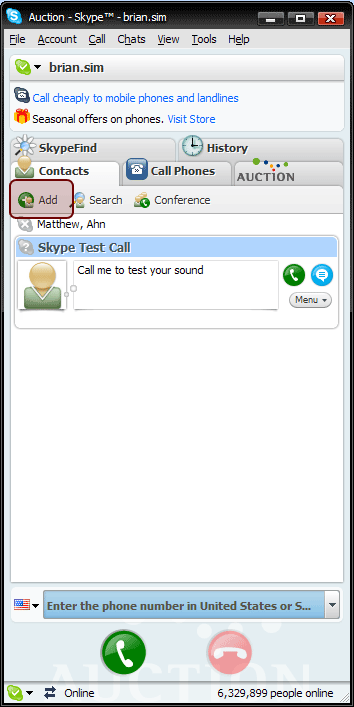
1. Click [Add] button on your screen.
|
 |
| |
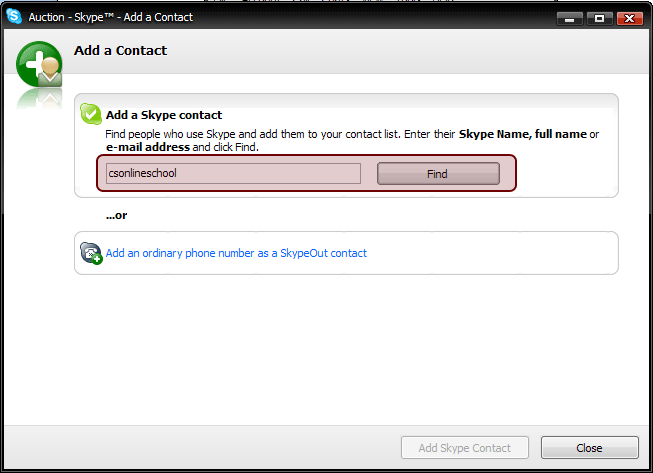
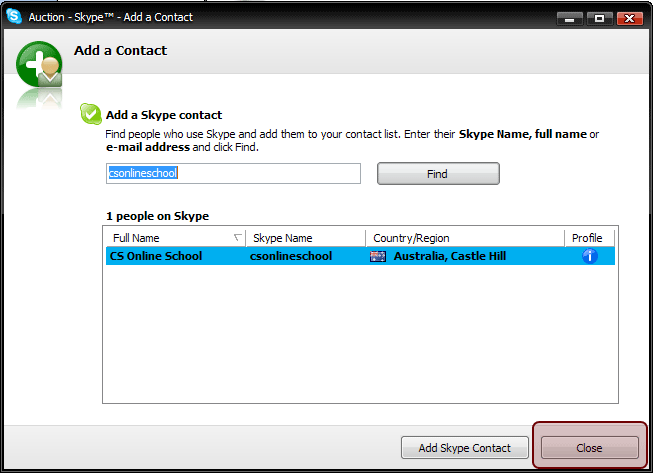
2. Enter "csonlineschool" then click [Find] button.
|
|
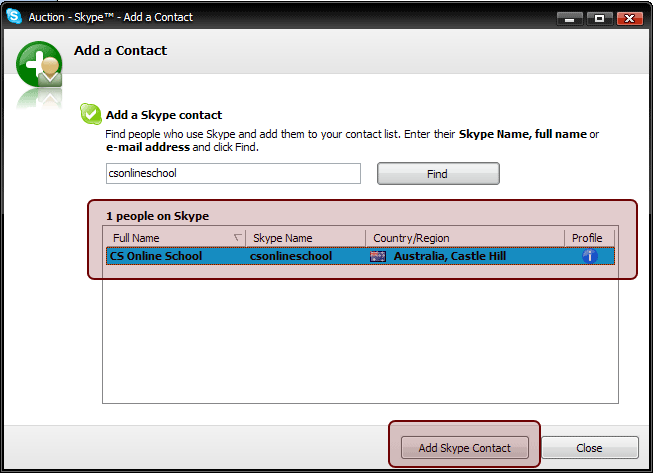
3. Check "CS Online School" in the middle of the screen then click [Add Skype Contact] button.
|
 |
| |
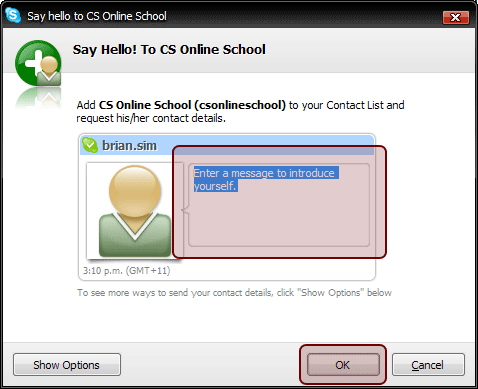
4. Enter a message to introduce yourself.
- Enter your name and grade then click [OK] button.
- Click [Close] button.
|
|
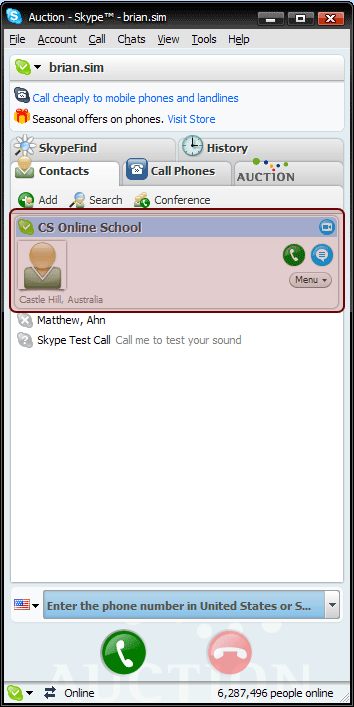
5. Congratulations! CS Online Tutoring is now ready for contact.
Now you will see CS Online School on your screen.
|
|
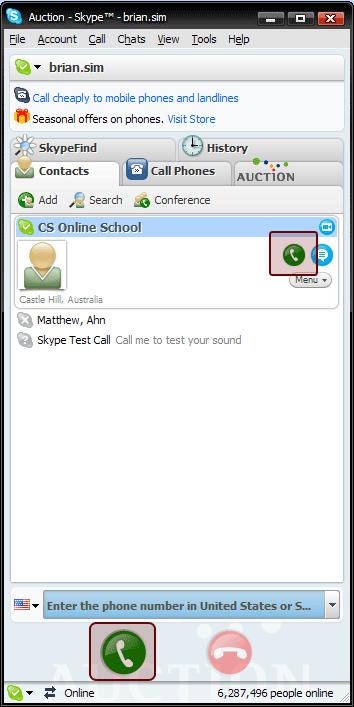
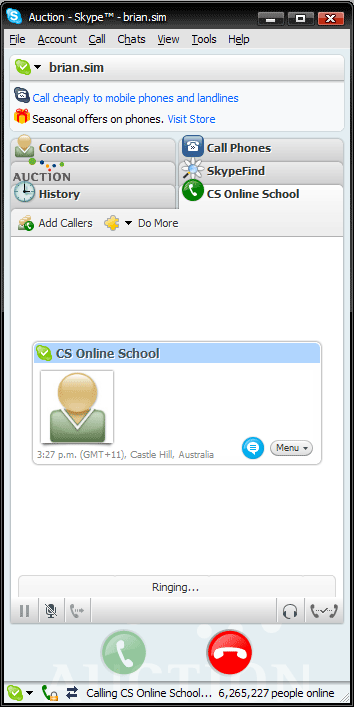
6. To contact CS Online School, click either green button. It should start to ring.
No charges! No payment!! It's FREE.
|
|
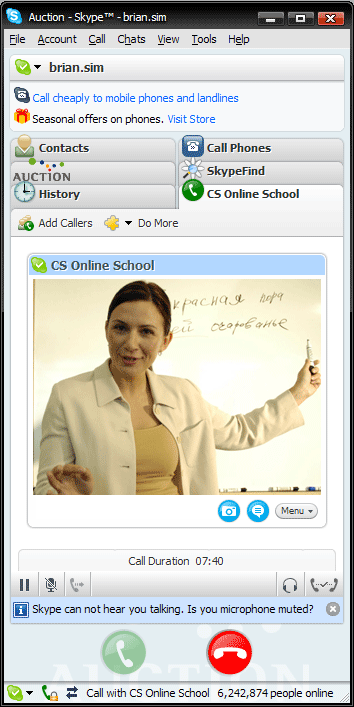
7. Now you will see your Online Tutor on your screen.
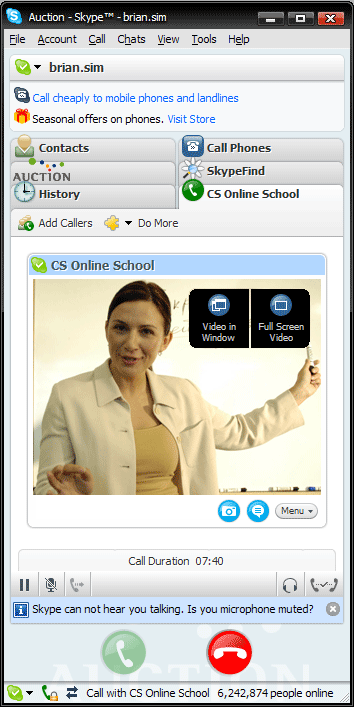
- If you want to see in a bigger screen, you can use those options either 'Video in Window' or
'Full Screen Video' on the top right corner of the screen.
|
|
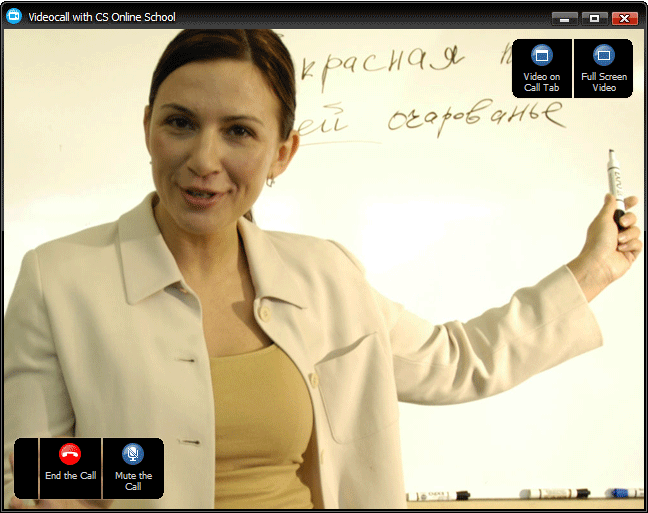
- The screen of 'Video in Window' option is below.
|
|
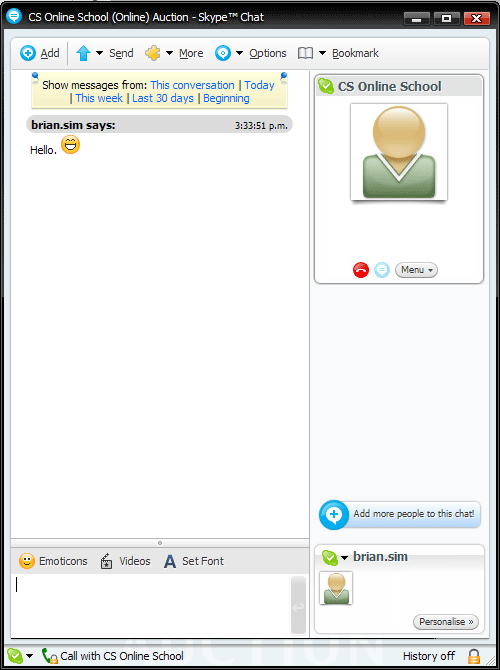
8. Talk on the phone or type.
You can use either your own microphone or keyboard. We recommend using a Web-Cam and microphone. If you don't want to use a Web-Cam and microphone, click the message button from on your screen. Then you can type in this window to talk to teacher. |
 |


 Join Membership





